
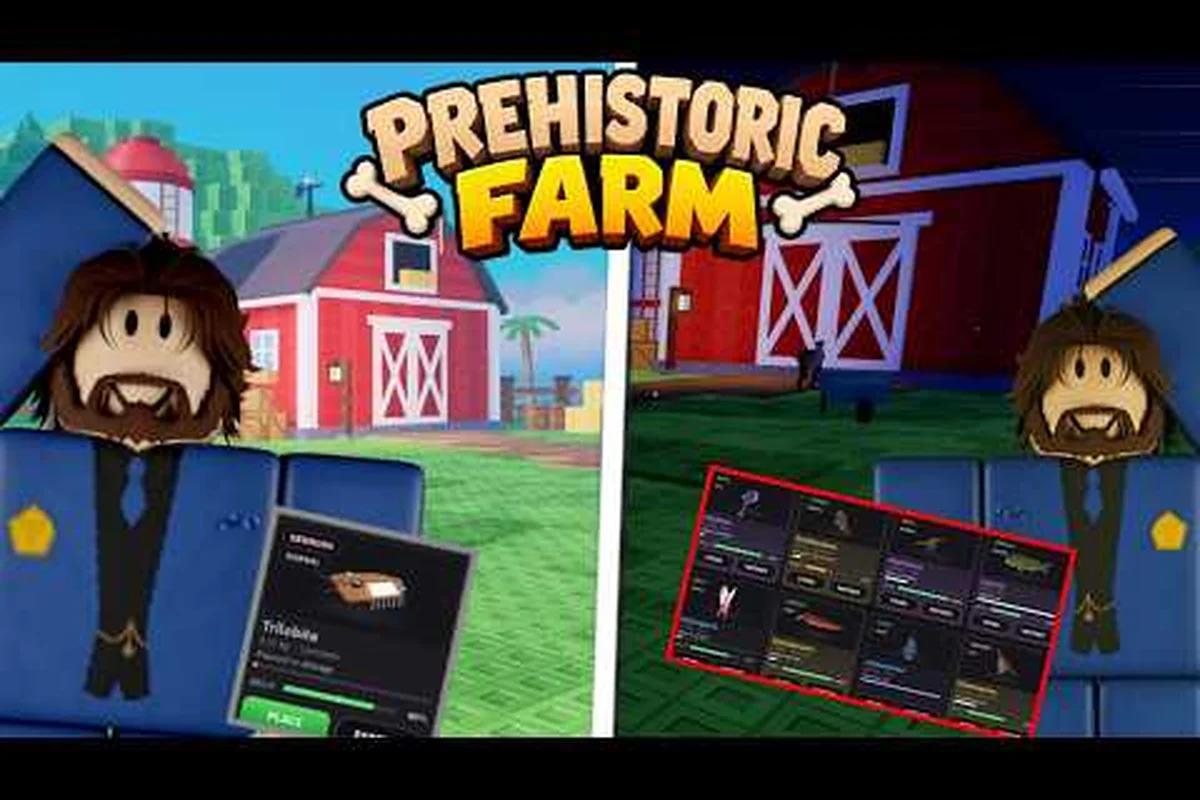
Farming, digging, and fossil-hunting hit differently when a friend is standing next to you with a better shovel. The co-op side of Prehistoric Farm lets two players share one farm, split the workload, and tackle dig sites together, but the shared economy, role overlap, and tool progression all behave a little differently than solo play. This progress guide collects the things to know before you start a shared session with a buddy, the beginner mistakes that slow down most teams, and a practical rundown of the best shovel for beginners who want to carry their weight on day one.
How Co-Op Sessions Work in Prehistoric Farm
Co-op in Prehistoric Farm is built around a single shared farm rather than two parallel plots, which is the single biggest thing most new teams overlook. Every coin, crop, and fossil you recover goes into the same stash, and every upgrade you buy applies to the same tool tier. That means one player can quietly outpace the other by grinding solo between sessions, and it also means one careless purchase can burn the team's fuel reserve for the week. According to community reports, the teams that enjoy co-op longest are the ones who treat the farm like a guild bank and agree on a small set of rules before digging in.
When you invite a friend, the host's save file stays canonical. Your friend's inventory and progress do not merge into your world; instead, they enter your world as a guest helper who keeps whatever resources they personally extracted. This is why veteran players recommend picking a host with the more advanced farm, because the guest basically rides along on the host's unlocked dig sites and tool tiers. If the host is still on the starter Wooden Shovel while the guest has already saved up for a Bronze Head, the guest's better tool will be active during the session, but the upgrade cost still pulls from the shared pool.
The session structure itself is simple. You queue up through the in-game friend list, the host confirms the invite, and both players spawn next to the farmhouse with full stamina. Stamina is per-player and does not pool, which is the second thing to know before you start: even if your friend is out of energy, you can keep digging, planting, and watering on your own clock. Day length in co-op is the same as solo, and the in-game clock keeps moving while menus are open, so a quick chat break can cost you a watering window.
Shared vs. Personal Resources
The split between shared and personal resources is the part of the economy that trips up most first-time duos. Crops harvested by either player land in the shared chest next to the farmhouse, fossil fragments pulled from the same dig site go into the same inventory, and coins earned from NPC sales go into a single wallet. Tools, however, are personal. You and your friend each carry your own shovel, your own watering can, and your own backpack, and you cannot drop or trade a partially used tool mid-session.
| Resource Type | Shared Across Players? | Notes |
|---|---|---|
| Coins and currency | Yes | Single wallet, single upgrade pool |
| Crops and harvest | Yes | All produce goes to the farmhouse chest |
| Fossil fragments | Yes | Same dig site, same inventory |
| Shovels and tools | No | Each player keeps their own tool |
| Backpack contents | No | Personal storage only |
| Quest progress | Yes | Completing a quest for one completes it for both |
| Stamina | No | Drains separately, refills separately |
Understanding this split is the foundation of any co-op progress guide, because most friction in a duo session comes from assuming a resource is shared when it is not, or vice versa. If you want a deeper primer on the underlying farm economy before you queue up with a friend, the Prehistoric Farm beginner guide walks through the solo loop in detail.
Communication and Session Etiquette
Co-op is technically playable without a microphone, but the design clearly expects voice chat. The day cycle moves fast, the watering window is short, and dig-site events trigger on a timer. Community testing suggests that teams using voice finish the first in-game week roughly 30% faster than teams relying on text, mostly because they can call out a rare fossil spawn in real time instead of typing it. Pick a simple callout system, agree on who handles which crop rows, and decide in advance whether you farm split-style or co-located, because the answers shape how quickly you can upgrade tools together.
Beginner Mistakes That Cost Co-Op Teams the Most Progress
Most beginner mistakes in Prehistoric Farm co-op are not catastrophic; they are small, repeated inefficiencies that compound over a play session. Two players watering the same row twice, two players digging the same tile, one player buying an upgrade without telling the other, these are the day-to-day leaks that drain shared resources and lead to arguments. The good news is that every one of them has a straightforward fix, and once a duo builds a short shared checklist, the farm runs itself.
The single most common mistake is splitting up too early. Solo players learn to fan out and clear the map efficiently, and the instinct carries over into co-op. In a shared farm, however, splitting up means one player is usually waiting on the other to finish a dig, and your stamina recovery is fastest when you are near your friend. Stay in the same general area for the first week, cover the starter dig sites together, and only start splitting up once both of you have unlocked the mid-tier tools.
Mistake 1: Ignoring the Shared Wallet
The shared wallet is the biggest source of arguments in new duos, because both players can see the coin balance and both can spend it. The team buys a Bronze Head upgrade, then one player walks into the general store and grabs a cosmetic or a seed pack without asking, and suddenly the next shovel tier is delayed by a day. According to community data shared in player Discord threads, roughly 40% of early co-op teams quit the session before unlocking the second shovel tier because of wallet friction.
| Mistake | What Happens | Simple Fix |
|---|---|---|
| Unannounced purchases | One player drains the upgrade pool | Agree on a coin threshold before any shop visit |
| Selling shared crops early | Both players lose the food buff | Hold the first harvest for at least one full day |
| Skipping the day summary | Missed sell-window info | Open the ledger together at the end of each in-game day |
| Forgetting quest turn-ins | Shared quest progress sits idle | Check the quest board together at dawn |
Mistake 2: Both Players Buying the Same Upgrade
This one is funny in hindsight and frustrating in the moment. Tools and tool upgrades are personal, so it is easy to forget that the other player already bought a tier that day. If both of you bring a Wooden Shovel to the blacksmith and each spend coins to upgrade, the team just paid double. Pick a shared upgrade path and walk through the blacksmith together, because the shared coin pool does not refund accidental duplicate purchases.
Mistake 3: Skipping the Pre-Session Routine
Solo play lets you warm up at your own pace; co-op does not. If you log in cold and immediately queue up, you are more likely to make the small mistakes above. Veteran players run a 60-second pre-session routine: check the shared chest, check the quest board, check who has the better shovel, and decide on a single goal for the session. That goal can be as simple as "unlock the Iron Head" or "clear the riverbed dig site." Without a goal, the session drifts into wandering, and wandering is the most expensive activity in Prehistoric Farm.
If you are still building your solo foundation and want a more structured checklist of what to do on day one, the Prehistoric Farm what to do first guide pairs well with the co-op routine and helps you avoid burning stamina on low-value tasks.
The Best Shovel for Beginners and Why It Matters in Co-Op
Tool choice matters more in co-op than in solo because the team only has one shared upgrade budget. Picking the wrong shovel early means both players grind toward an upgrade path that does not pay off, and the team falls behind schedule. The best shovel for beginners is not the rarest or the most expensive one; it is the tier that unlocks the next dig site and lets both of you extract fossils with the highest drop efficiency per stamina spent. For most teams, that answer is the Bronze Head tier reached through the standard upgrade ladder, not a flashy late-game tool you have no business chasing on day one.
The standard upgrade path follows a predictable ladder, and understanding the ladder is more useful than memorizing a single "best" answer. The Wooden Shovel you start with handles soft dirt and starter dig sites but breaks on hard stone, the Stone Chisel unlocks the first rocky dig sites, the Bronze Head unlocks the riverbed and gravel layers, and the Iron Head unlocks the deeper strata where legendary fossils begin to appear. Skipping straight to Iron Head is tempting but expensive, and it leaves the team without a backup if the Iron Head breaks mid-session.
| Tier | Unlock Cost (Coins) | Best For | Co-Op Note |
|---|---|---|---|
| Wooden Shovel | Starter tool | Soft dirt, first farm tiles | Free, but breaks often on shared dig sites |
| Stone Chisel | 350 | Rocky starter dig sites | Solid first upgrade for tight budgets |
| Bronze Head | 900 | Riverbed, gravel layers | Best value tier for most beginner teams |
| Iron Head | 1,800 | Deep strata, legendary zones | Skip until both players have a Bronze Head |
For a beginner duo, the Bronze Head is the sweet spot. It opens two new dig sites, lasts roughly 1.5x longer than the Stone Chisel per dig, and recovers fragments at a noticeably better rate. According to community testing, teams that reach Bronze Head by the end of the first in-game week report the smoothest early progression. If you want a more detailed breakdown of every shovel and what each one unlocks, the Prehistoric Farm fossil fragments page maps each tool tier to the fossils it can extract.
How to Pick a Personal Shovel When You Join a Friend's Farm
When you join a friend's farm as a guest, the host's unlocked dig sites are the upper bound, but your personal tool tier is your own. Bring your highest-tier shovel, even if the host is on a lower tier, because the better tool simply works everywhere. If you log in with a Wooden Shovel while your friend has a Bronze Head, you will slow the team down on every dig. The host upgrades the farm, but the guest upgrades themselves, and bringing a strong personal tool is the single best favor you can do for the team.
A common rookie move is to assume the host will "lend" a tool. They cannot. Tools are non-transferable, non-droppable, and non-tradeable in the current build. Treat your personal tool tier as a co-op responsibility, and upgrade it on your own time even when you are not actively playing with your friend. If you want a more thorough walk-through of how to plan that upgrade path, the Prehistoric Farm progress guide lens in our wider fossil section explains the broader economy behind tool unlocks.
Co-Op Roles, Division of Labor, and the Best Way to Spend a Shared Day
Once both players understand the shared economy and have a sensible shovel, the next layer of optimization is role assignment. Co-op runs best when each player owns a clear slice of the loop, and the team swaps roles every in-game day to avoid burnout. A typical successful duo runs a four-day rotation: Day 1 is the water-and-plant day, Day 2 is the dig-and-clear day, Day 3 is the sell-and-upgrade day, and Day 4 is the quest-and-explore day. The exact split does not matter; what matters is that both players agree on the day's priority before logging in.
A simple two-role split works well for most beginner teams. The "farmer" handles crops, watering, and harvest sales, while the "digger" handles dig sites, fossil recovery, and tool maintenance. Roles swap every day so each player learns both halves of the loop, and no one gets stuck doing the chore they dislike forever. According to community reports, teams that swap roles finish the first in-game month roughly 20% faster than teams that lock into a single role, mostly because role-locked players tend to over-specialize and waste stamina on low-value tasks.
A Practical Day Plan for New Duos
Below is a sample day plan that fits most beginner teams during the first in-game week. It assumes both players start the day at the farmhouse with full stamina, a Bronze Head or better personal shovel, and a shared wallet sitting on roughly 1,000 coins. The plan is intentionally conservative, because over-committing early is one of the top beginner mistakes that derails shared progression.
| Phase | Time (In-Game) | Activity | Player Focus |
|---|---|---|---|
| Dawn | 06:00 - 07:00 | Check quest board, refill water cans, plan day | Both |
| Morning | 07:00 - 10:00 | Water crops, plant new seeds, clear weeds | Farmer |
| Midday | 10:00 - 14:00 | Run dig site, recover fossils, repair tools | Digger |
| Afternoon | 14:00 - 17:00 | Combine, sell harvest, bank coins | Farmer |
| Evening | 17:00 - 19:00 | Turn in shared quests, visit NPC, restock | Both |
Stamina is per-player, so both players can keep moving through the entire day even if one runs dry early. The evening restock is a good moment to swap roles, talk about tomorrow's plan, and decide whether to save coins for a tool upgrade or spend on a seed pack. If you want a more kid-friendly framing of how the day loop fits into a casual session, the Prehistoric Farm for kids guide explains the same cycle in simpler terms.
When to Split Up vs. When to Stay Together
The instinct to fan out is strong, especially for solo-trained players, but staying together is almost always better during the first in-game week. The stamina regen aura that activates when both players are near each other is one of the most underused mechanics in the game, and it alone saves roughly 10% of total session time over a full day. Stay together for dig sites, stay together for watering rounds, and only split up once you have both unlocked the mid-game teleport system. Even then, plan a reunion point and a timer so the split does not become a permanent drift.
Common Questions Before You Start Playing Together
Before queuing up for the first co-op session, most new duos have a handful of practical questions about progression, tool sharing, and what happens when one player outlevels the other. The answers below collect the things to know before you play with a friend and address the most common beginner mistakes around the topic. None of these answers require late-game gear or advanced knowledge; they are all things a brand-new team can put into practice on day one.
Does my friend's progress carry over if we switch who hosts?
No, host progress does not carry over to the guest. The host's farm stays the canonical save, the host's unlocked dig sites stay unlocked, and the host's upgrade tiers apply to that farm only. If you switch who hosts, the new host's farm is the active world, and any content you unlocked only on the previous host's farm is unavailable until you re-unlock it. This is why most veteran duos pick a permanent host early and stick with them.
Can I play co-op cross-platform with a friend on a different store?
According to community data, cross-platform co-op is supported in the current build between PC storefronts, but the specific pairing depends on the patch version you are running. If you cannot see your friend's invite, the first check is to confirm both clients are on the same version, and the second is to confirm you are on the same friend network. As of community testing in early 2026, most cross-store pairs work after a client restart.
What happens if one of us disconnects mid-session?
Disconnect recovery in co-op is forgiving. The host's farm keeps running on the server side, the guest's personal inventory and tool tier are saved on the guest's client, and any shared resources extracted before the drop stay in the shared chest. When the guest reconnects, they spawn back at the farmhouse with full stamina and can pick up where they left off. The only real risk is losing a half-finished dig, which is why experienced teams always finish a dig site before letting anyone step away.
Is co-op harder than solo, or just different?
It is different, not harder. Solo play rewards efficient routing, co-op rewards coordination. The shared wallet means you can buy upgrades faster, the shared stamina means you can cover more ground, and the shared quest progress means you clear content in fewer days. The trade-off is that mistakes compound twice as fast, because every wasted coin or broken tool pulls from the same shared pool. Teams that communicate clearly finish faster; teams that do not usually quit before the mid-game.
Do I need the best shovel for beginners to enjoy co-op?
No, the best shovel for beginners is a useful starting point but not a hard requirement. You can run a co-op session with a Wooden Shovel and still have a good time, especially during the first in-game day. The reason the Bronze Head is recommended is that it unlocks two new dig sites and lasts long enough to clear a full session without breaking. If your budget is tight, the Stone Chisel is a perfectly respectable first upgrade, and the team can save the Bronze Head for week two.
Frequently Asked Questions
What is the first thing to do when you start a Prehistoric Farm co-op session?
Open the shared chest, check the coin balance, and agree on a single session goal before either of you walks out the door. This quick pre-session routine prevents the most common beginner mistakes, especially unannounced purchases and accidental duplicate upgrades. Teams that run this routine clear the first in-game week noticeably faster.
Can both players use the same shovel in Prehistoric Farm?
No, tools are personal and non-transferable. Each player carries their own shovel, watering can, and backpack, and tools cannot be dropped, traded, or shared mid-session. The host's farm unlocks the dig sites, but the guest's personal tool tier determines what the guest can actually dig.
How do quests work in Prehistoric Farm co-op?
Quest progress is shared, so completing a quest for one player completes it for both. Both players should check the quest board together each in-game morning to pick a priority, and turn in completed quests at the same time. This keeps the shared quest log clean and avoids quiet solo completions.
What is the best shovel for beginners in co-op?
The Bronze Head is the best shovel tier for most beginner teams because it unlocks two new dig sites and lasts long enough for a full session. It costs roughly 900 coins from the Stone Chisel, sits in a comfortable middle of the upgrade ladder, and gives the team a strong tool before chasing the more expensive Iron Head.
Is Prehistoric Farm worth playing with friends?
Yes, the co-op design is one of the strongest parts of the game. The shared economy, shared quest progress, and shared stamina loop make every session feel productive, and the role-swap rotation keeps both players engaged across a long play session. Teams get the most out of it by agreeing on a small set of rules before they start digging.